There are ten lab assignments in GEOG 312, each worth 60 points, together making up 60% of your grade. Labs are posted here as they are assigned. See the schedule for which lab goes with which week.
Due Dates and Late Work
Each lab is assigned in the week shown on the schedule and is due the following week. The exact date and time for each lab are posted on Canvas, which is the authority if anything here disagrees. Late labs lose 10% per day.
It is your responsibility to make sure the correct file is submitted before the deadline. Once an assignment has been graded, additional files will not be accepted. If you think a lab was graded incorrectly, tell me within one week of the grade being posted.
How to Submit
The video below walks through the whole process end to end. The written steps that follow say the same thing.
Figure 1:How to submit lab assignments through Google Colab
Click the Open in Colab badge at the top of the lab notebook. This opens the lab in Google Colab.
Save a copy to your Google Drive. It lands in My Drive → Colab Notebooks → Copy of lab_x.ipynb. Rename it back to lab_x.ipynb.
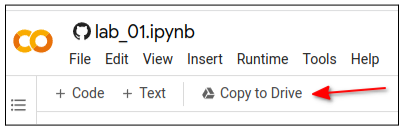
Follow the directions in the notebook and write code to complete the exercises.
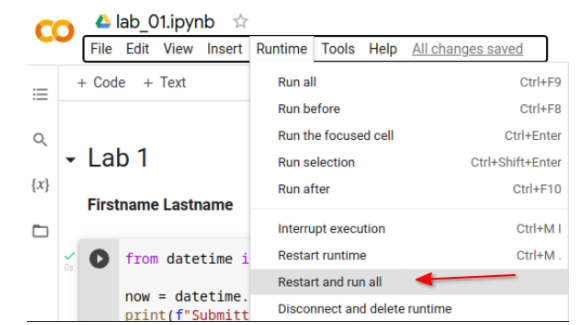
When you are finished, click Runtime → Restart and run all. Make sure the notebook runs cleanly from top to bottom and that every code cell shows its output. A notebook that only works out of order will not be graded as working.
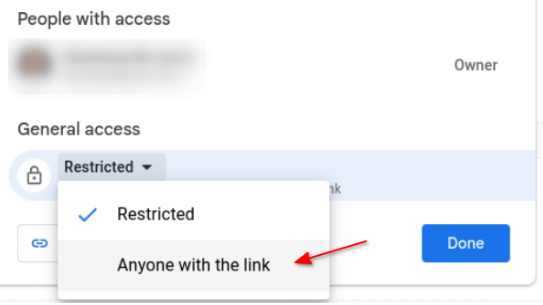
Click Share in the top right corner and change general access from Restricted to Anyone with the link.
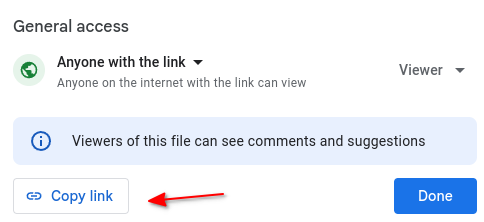
Click Copy link.
Open a Chrome Incognito window, paste the link, and confirm you can see the notebook content. If you cannot, your grader cannot either. Fix the sharing setting before you submit.
Paste the link into the Lab Submission page on Canvas and submit.
If you prefer to work locally in VS Code or JupyterLab rather than in Colab,
that is fine. Upload the finished .ipynb to your Drive and share it the same
way, or submit the .ipynb file directly to Canvas.
Collaboration and AI Assistants
You are encouraged to talk with each other about approaches and to help each other debug. Helping a classmate find a bug is a good thing to do. Copying a classmate’s solution, or handing yours over to be copied, is plagiarism.
AI coding assistants are permitted on labs, provided that you can explain every line you submit and that you disclose the tool in a short note at the top of the notebook. They are not permitted on quizzes or the midterm. See the syllabus for the full policy.
Reusing code you find online or in the documentation is fine and normal. Cite it in a comment.
Getting Unstuck
Post on the GitHub Discussion board. Include the error message and the code that produced it. Someone else has almost certainly hit the same wall, and up to 30 extra credit points are reserved for students who help answer classmates’ questions.
Labs
Lab 1 — Variables, Data Types, and Data Structures
Lab 2 — String Operations and Looping
Lab 3 — Functions, Classes, Files, and Exception Handling
Lab 4 — NumPy, Pandas, and GeoPandas
Lab 5 — Raster Data with Rasterio
Lab 6 — Xarray and Rioxarray
Lab 7 — Interactive Mapping with Leafmap
Lab 8 — 3D Mapping with MapLibre
Lab 9 — Earth Engine and geemap
Lab 10 — Cloud-Native GIS with GeoLibre